
CarPlay for license-free cars: your GPS on the car's screen
By the Rédaction TacTac · Updated 22 July 2026
TacTac is one of the few license-free car GPS apps that works with Apple CarPlay. Your route, filtered for the 45 km/h limit, shows up right on the dashboard screen, with voice guidance that keeps your hands on the wheel.
Apple CarPlay
supported, no extra setup
0 motorway
filtered route, same as on the phone
45 km/h
speed used for a realistic ETA
USB or wireless
connection depends on the car's equipment
What CarPlay changes for your drive
On a phone propped on a mount, the route stays small and you have to look away from the road to read it. With Apple CarPlay, TacTac moves to the car's big screen: the map is larger, the instructions easier to read, and voice guidance takes over the rest.
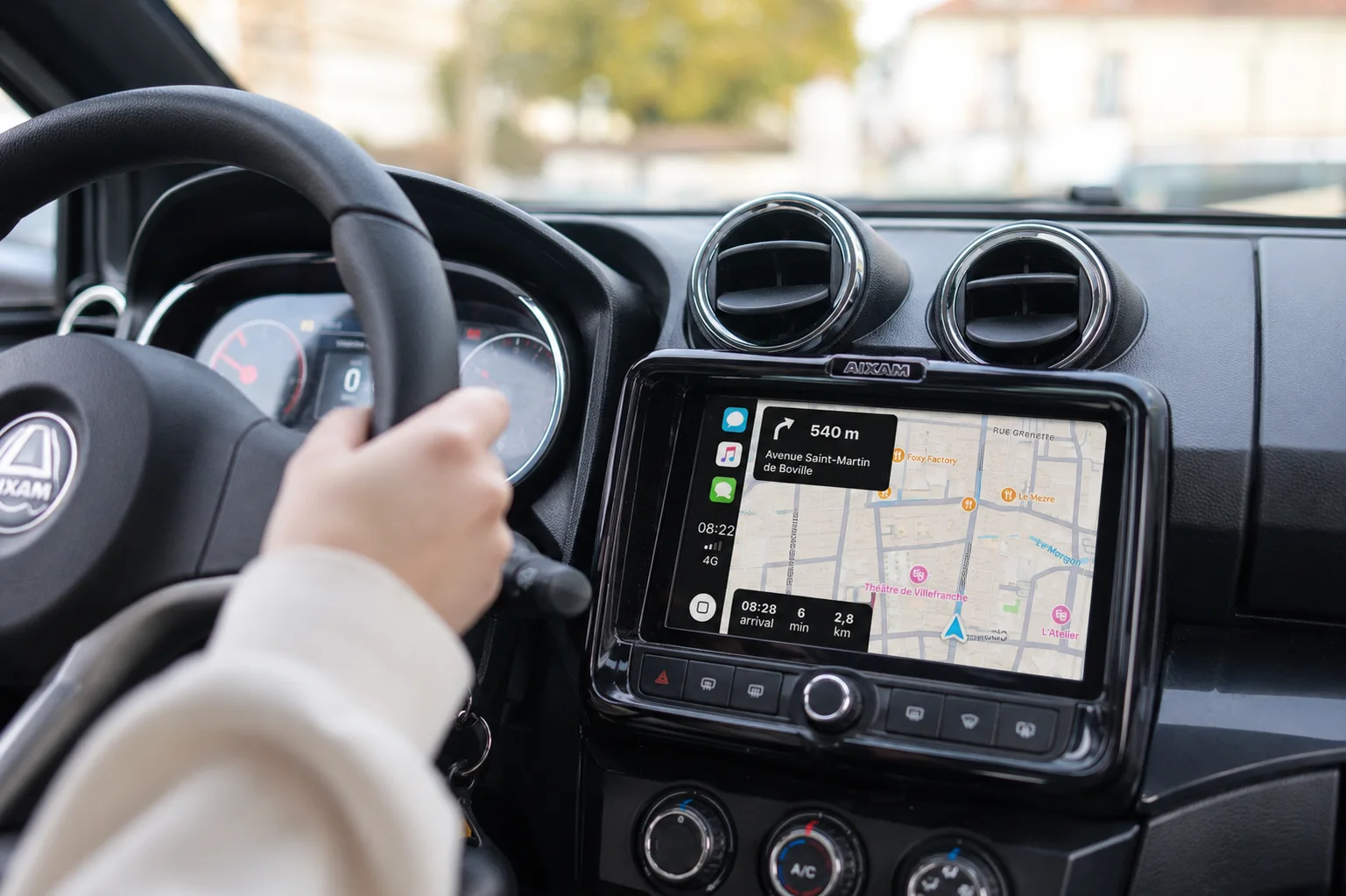
The big screen, not the phone
The route shows up on the dashboard screen, at the right distance from your eyes, with no mount or cable hanging in front of the vents.
Voice guidance, hands on the wheel
Turn-by-turn instructions are announced out loud. No need to look at the screen to know where to turn.
The same 45 km/h filtering
The route shown on CarPlay is calculated exactly as on the phone: no motorway, no expressway, with a realistic travel time.
How to connect TacTac to Apple CarPlay
The connection works like any CarPlay-compatible navigation app. Here are the steps.
- Plug in your iPhone to the car, over USB or wirelessly depending on the vehicle's equipment.
- Open CarPlay on the car's screen: the TacTac icon shows up once the app is installed on the iPhone.
- Launch TacTac and enter your destination, from the car's screen or from the phone.
- Follow the filtered route shown on the big screen, with voice guidance alongside it.
Which license-free cars support CarPlay?
Compatibility does not depend on TacTac, it depends on the screen fitted in the car. Two situations exist.
A CarPlay screen already built in
Some recent license-free cars are sold with a touchscreen head unit that supports Apple CarPlay. If that is the case for yours, TacTac shows up there with no special setup.
A CarPlay head unit added as an accessory
On an older model, or one without a compatible screen from the factory, an Apple CarPlay head unit can often be fitted afterwards, same as on any vehicle.
There is no way to confirm a specific model is compatible without checking your car's exact equipment: it is the presence of a CarPlay screen, not the brand, that decides whether TacTac can show up on it.
Why TacTac beats Waze or Google Maps on CarPlay
Waze and Google Maps also show up on Apple CarPlay, but neither one knows the restrictions of a license-free car.
An ETA worked out at 90 km/h
On the big screen just like on the phone, Waze and Google Maps estimate travel time for a standard car. At 45 km/h, the arrival time shown stays wrong.
Routes through the motorway
These apps look for the fastest route without ruling out roads banned to light quadricycles. On CarPlay as elsewhere, they can suggest a route that breaks the law.
A GPS built for 45 km/h
TacTac remains the only GPS that filters out banned roads and works out a realistic travel time, whether on the phone or on the car's CarPlay screen.
Frequently asked questions
Does my license-free car support Apple CarPlay?
That depends on the head unit fitted, not on the car's brand. Some recent models come with a CarPlay-compatible screen; on others, a CarPlay head unit can often be added as an accessory. Check your vehicle's exact equipment if you are not sure.
How do I connect TacTac to Apple CarPlay?
Plug your iPhone into the car (USB or wireless depending on the equipment), open CarPlay on the dashboard screen, then select TacTac. The app needs to be installed on the iPhone first.
Wireless or wired CarPlay, which should I choose?
Both work the same way with TacTac. Wireless avoids the cable but depends on the car having CarPlay Wireless; wired stays simpler if the vehicle does not offer that option.
Is using TacTac on CarPlay free?
Yes, showing up on Apple CarPlay is included, like the rest of the app. The free trips per month follow the same rules as on the phone.
Does TacTac also work with Android Auto?
Not yet. TacTac is available on iPhone with Apple CarPlay; Android Auto support is coming.
To go further: the license-free car GPS, why Waze does not fit a license-free car and the TacTac home page.
Drive with your route on the big screen
Download TacTac from the App Store and connect it to Apple CarPlay on your next trip.
Download on the App Store →